Time Management Strategies for 2026: 5 Planner Techniques That Actually Work
The average professional loses 2.1 hours per day to poor time management—that's 546 hours annually, or nearly 23 full days. Effective time management isn't about working more hours; time management is about directing limited hours toward what matters most. These five planner-based techniques have documented success rates in productivity research and real-world application. Each technique requires 5-30 minutes to implement initially and 5-10 minutes daily to maintain. Combined, these strategies can reclaim 5-10 hours per week currently lost to reactive scheduling, task-switching, and decision fatigue.
Technique 1: Time-Blocking for Proactive Scheduling
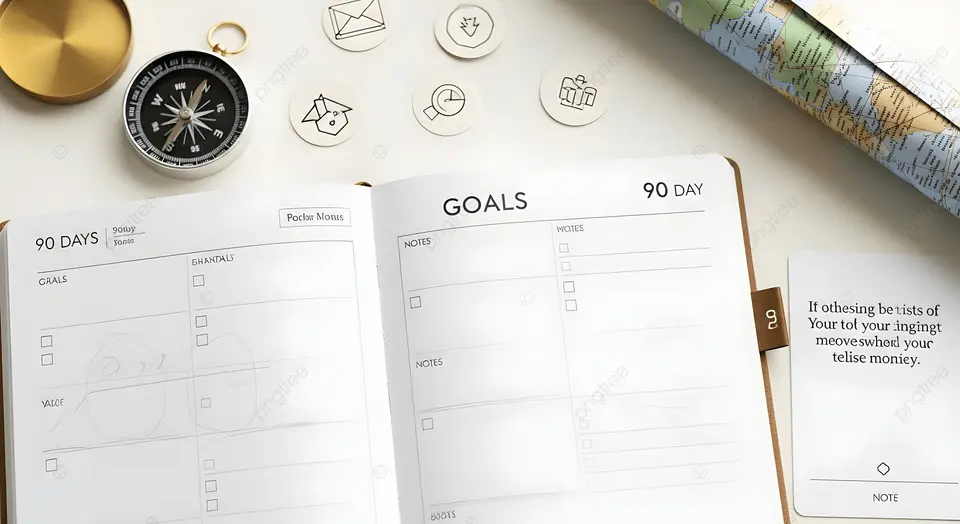
The vertical daily layout in Tools4Wisdom planners divides each day into morning, afternoon, and evening blocks—ideal for implementing time-blocking methodology.
Time-blocking—assigning specific tasks to specific hours—transforms reactive days into proactive ones. A study in the Journal of Consumer Research found that people who scheduled specific times for tasks were 300% more likely to follow through compared to those who simply added items to a to-do list. Time-blocking works because it eliminates the constant decision of "what should I do next?" and protects important work from interruption.
Implementing time-blocking requires three steps:
- Identify your task categories: Most people operate in 4-6 categories—work projects, administrative tasks, family responsibilities, health/fitness, personal development, and relationships. List yours and estimate weekly hours needed for each category.
- Map categories to time blocks: Assign categories to specific days and times based on energy levels and external constraints. Deep work requiring concentration belongs in morning blocks for most people. Administrative tasks fit well in post-lunch energy dips. Family time needs protected evening blocks.
- Block time in your planner visually: Use the vertical daily layout to draw actual blocks around time segments. A 90-minute morning block labeled "Project Work" is more effective than a to-do item saying "work on project." The visual commitment creates psychological accountability.
Time-blocking requires flexibility, not rigidity. Some days will deviate from the plan—emergencies happen, meetings run long, energy fluctuates. The goal is structure that guides decisions, not a schedule that creates stress when interrupted. Review time blocks weekly and adjust based on what actually happened versus what was planned.
Technique 2: The Eisenhower Matrix for Task Prioritization
The Eisenhower Matrix—named after President Dwight Eisenhower's productivity philosophy—sorts tasks into four quadrants based on urgency and importance. Research on decision fatigue shows that the average person makes 35,000 decisions daily, and each decision depletes mental energy. The Eisenhower Matrix reduces decision load by providing a simple framework for every task that enters your awareness.
The four quadrants direct specific actions:
- Quadrant 1 - Urgent AND Important (DO immediately): Deadlines, crises, time-sensitive opportunities. These tasks get done first but shouldn't dominate your day. Living in Quadrant 1 leads to burnout. Examples: tax deadline tomorrow, sick child, client emergency.
- Quadrant 2 - Important but NOT Urgent (SCHEDULE for later): Goal-advancing work, relationship building, health maintenance, strategic planning. Quadrant 2 tasks create long-term success but get neglected because nothing forces immediate action. Examples: exercise, learning new skills, quarterly planning, preventive healthcare.
- Quadrant 3 - Urgent but NOT Important (DELEGATE or minimize): Interruptions, some meetings, others' priorities disguised as emergencies. These tasks feel pressing but don't advance your goals. Examples: most emails, unnecessary meetings, favors that don't align with your priorities.
- Quadrant 4 - Neither Urgent NOR Important (DELETE or eliminate): Time-wasters, excessive social media, activities done out of habit rather than value. Quadrant 4 activities should be minimized or eliminated entirely. Examples: mindless scrolling, TV watched out of boredom, gossip.
Applying the Eisenhower Matrix takes 2-3 minutes when processing new tasks. Write each task in your planner, quickly assign a quadrant, then batch similar quadrant tasks together. Most productivity gains come from increasing Quadrant 2 time and decreasing Quadrants 3 and 4. Studies suggest high performers spend 65-80% of their time in Quadrant 2, while struggling professionals spend 50-90% in Quadrants 1 and 3.
Technique 3: Weekly Planning Sessions
Weekly planning bridges daily tactics and long-term strategy. A 20-30 minute weekly planning session prevents the common pattern of busy weeks that don't advance meaningful goals. Research from Harvard Business Review found that professionals who plan weekly report 25% higher satisfaction with work-life balance and 20% higher goal achievement rates than those who plan only daily.
An effective weekly planning session follows this sequence:
- Review the past week (5 minutes): Check completed versus incomplete tasks. Note what worked well and what got derailed. Identify patterns—did certain time blocks consistently fail? Did specific task types take longer than estimated? Honest review prevents repeating the same planning mistakes.
- Check upcoming commitments (5 minutes): Scan the next 2-3 weeks for deadlines, appointments, and events that require preparation. A presentation next Friday needs prep time blocked this week. A birthday next weekend needs gift-buying time scheduled.
- Set 3-5 weekly priorities (5 minutes): Identify the most important outcomes for the coming week. Weekly priorities should connect to monthly goals and quarterly milestones. Writing "finish project proposal" as a weekly priority is more actionable than letting it float on a someday list.
- Allocate tasks to days (10 minutes): Distribute the week's tasks across available time blocks. Front-load important tasks earlier in the week when energy is higher and unexpected demands haven't accumulated. Leave buffer time—scheduling 100% of available hours guarantees falling behind.
- Prepare materials (5 minutes): Gather what you'll need for the week's major tasks. Preparation reduces friction when it's time to execute. Having the client file ready Monday morning means starting immediately rather than spending 15 minutes searching.
Schedule weekly planning as a recurring appointment—Sunday evening and Monday morning work well for most people. Protect this time as firmly as any external meeting. Skipping weekly planning saves 30 minutes but costs hours in reactive scrambling throughout the week.
Technique 4: Customized Planner Layout Systems
Generic planner layouts fail because they assume everyone manages the same life. A corporate executive, a freelance designer, a homeschooling parent, and a graduate student all need different planning structures. Customization transforms a planner from a generic calendar into a personal productivity system tailored to specific roles, responsibilities, and goals.
Three customization strategies dramatically improve planner effectiveness:
- Color-coding by life area: Assign consistent colors to task categories—blue for work, green for health, purple for family, orange for personal projects. Color-coding provides instant visual feedback on life balance. A weekly spread dominated by one color signals that other life areas need attention. The 277 stickers included in Tools4Wisdom planners support color-coding with category-specific designs.
- Custom sections for recurring needs: Add dedicated pages for tracking that matters to your life. Habit trackers work for building new routines. Expense logs help financial awareness. Meal planning pages reduce daily decision fatigue around food. Disc planners allow adding, removing, and rearranging pages as needs evolve throughout the year.
- Symbol systems for rapid logging: Create a personal legend of symbols—squares for tasks, circles for events, stars for priorities, arrows for items moved forward, X for completed, strikethrough for cancelled. Consistent symbols speed both planning and review. A page covered in X marks provides visual motivation; a page full of arrows signals overcommitment.
Customization should simplify, not complicate. Start with 2-3 modifications and add more only when a clear need emerges. Over-engineered systems collapse under their own complexity. The best system is one you'll actually use consistently.
Technique 5: Monthly Reflection and System Adjustment
Planning systems decay without maintenance. What worked in January may not fit March's demands. Monthly reflection—a 30-45 minute session at the end of each month—keeps your system aligned with evolving priorities and prevents the gradual drift from intentional planning back to reactive chaos.
Monthly reflection examines four areas:
- Goal progress check: Review monthly goals set 30 days ago. Calculate completion percentage. Identify which goals advanced, which stalled, and why. Patterns in stalled goals reveal systemic issues—maybe certain goal types consistently lose to urgent tasks, indicating a need for stronger protection of Quadrant 2 time.
- System effectiveness audit: Evaluate whether current techniques are working. Did time-blocking help or create stress? Did weekly planning sessions happen consistently? Did the Eisenhower Matrix change task selection? Keep techniques that produce results; modify or abandon techniques that create friction without benefit.
- Life balance assessment: Review time distribution across life areas using color-coded entries as data. A month heavy in work blue with minimal health green or relationship purple signals imbalance requiring correction. Sustained imbalance leads to burnout, relationship strain, or health consequences.
- Next month preparation: Set 2-4 monthly goals aligned with quarterly milestones. Identify predictable challenges—a heavy travel week, a major deadline, a family event—and plan accommodations. Pre-solving foreseeable problems prevents them from derailing the entire month.
Schedule monthly reflection at the same time each month—the last Sunday, the 1st of the month, or whatever date you'll consistently honor. Add a recurring reminder. Without a scheduled appointment, monthly reflection becomes "something I should do" that never actually happens.
Frequently Asked Questions About Planner-Based Time Management
- How long does it take to see results from these techniques? Initial improvements appear within 1-2 weeks as reactive scrambling decreases and important tasks receive protected time. Significant habit formation takes 6-8 weeks of consistent practice. Full system integration—where these techniques feel automatic rather than effortful—typically requires 3-4 months. Start with one technique, master it, then add another rather than implementing all five simultaneously.
- What if I miss days or fall behind on planning? Missed days don't require starting over. Simply resume planning wherever you are. The system works whenever you engage with it. Undated disc planners eliminate wasted pages from missed days entirely—dates get added only when used. Perfectionism about consistency kills more planning systems than occasional lapses.
- Should I use a paper planner or digital calendar? Research suggests handwriting activates different cognitive processes than typing, improving retention and commitment. Paper planners work better for goal-setting, reflection, and creative planning. Digital calendars excel at scheduling, reminders, and sharing with others. Many effective planners use both: a paper planner for goals, priorities, and daily planning; a digital calendar for appointments and time-sensitive reminders that sync across devices.
- How do I handle interruptions that disrupt time blocks? Build buffer time into schedules—plan 6 productive hours in an 8-hour workday, not 8. When interruptions occur, note them and return to the planned block afterward. Chronic interruptions from the same source indicate a boundary problem requiring a conversation, not a planning problem requiring more techniques. Track interruption patterns for a week to identify whether they're truly unpredictable or actually preventable.
- Which technique should I start with if I'm new to structured planning? Start with weekly planning sessions. Weekly planning provides the highest return for time invested and creates natural opportunities to incorporate other techniques. During weekly planning, you'll naturally begin prioritizing (Eisenhower Matrix), allocating time (time-blocking), and identifying customization needs. Add other techniques as gaps become apparent.
Why Tools4Wisdom Planners Support These Techniques
Tools4Wisdom planners were designed specifically to support structured productivity methodologies, not just track appointments. Since 2012, founder Laszlo—a former Fortune 500 project manager—has refined the layout through 10+ product generations based on direct customer feedback. The planning system was developed in collaboration with mental health experts who understood that sustainable productivity requires balance, not just efficiency.
Every Tools4Wisdom planner includes features that enable these five techniques:
- Vertical daily layout for time-blocking: Morning, afternoon, and evening sections with hourly markers support visual time allocation. Large 2-page weekly spreads in the 8.5x11 inch format provide ample space for detailed blocking without cramped writing.
- Goal breakdown sections for prioritization: Dedicated pages guide yearly goals into quarterly milestones, monthly objectives, and weekly priorities—creating the structure the Eisenhower Matrix requires to distinguish important from merely urgent.
- Monthly and weekly planning pages: Built-in review prompts at the start of each month and week support consistent planning sessions without needing to create your own reflection framework.
- 255 pages of 100gsm premium paper: Thick paper prevents bleed-through from most pens, supporting color-coding systems with markers, highlighters, and felt-tips. Full-color seasonal themes add visual interest that makes daily planning enjoyable.
- 277 stickers and 15 monthly tabs: Pre-made stickers support customization without requiring artistic ability. Reinforced tabs enable quick navigation for weekly reviews and monthly reflections.
Choose Your 2026 Planning Format
Tools4Wisdom offers formats to match different planning preferences:
- 15 Month 2026 Edition: Dated October 2025 through December 2026. Spiral-bound hardcover. Best for planners who want pre-printed dates and start fresh each fall.
- 15 Month 2027 Edition: Dated October 2026 through December 2027. Pre-order now for seamless transition from your 2026 planner.
- 2026-2027 Spring Edition: Dated April 2026 through June 2027. Ideal for academic-year planning, teachers, or spring fresh-starts.
- Disc Planner: Undated, discbound format. Start anytime, remove pages to travel light, add custom pages for unique tracking needs. Compatible with standard 11-disc hole punches for unlimited customization.
- Printables: Digital downloads for print-at-home planning pages. Test the Tools4Wisdom layout before committing to a physical planner, or supplement existing planners with additional pages.
Reclaim Your Time in 2026
Time management isn't about finding more hours—every person gets the same 168 hours per week. Time management is about directing those hours toward what matters most while protecting against the constant pull of urgency, interruption, and distraction. These five techniques—time-blocking, the Eisenhower Matrix, weekly planning, customization, and monthly reflection—create a system that compounds daily choices into meaningful yearly progress. Explore Tools4Wisdom planners on Amazon and start building your 2026 time management system today.